Use this link to edit the app settings https://nabadat.app/public/dashboard/settings
After opening the link this page will appear
here you can manage ( General settings, Points settings, Social media settings, Schedule FCM settings)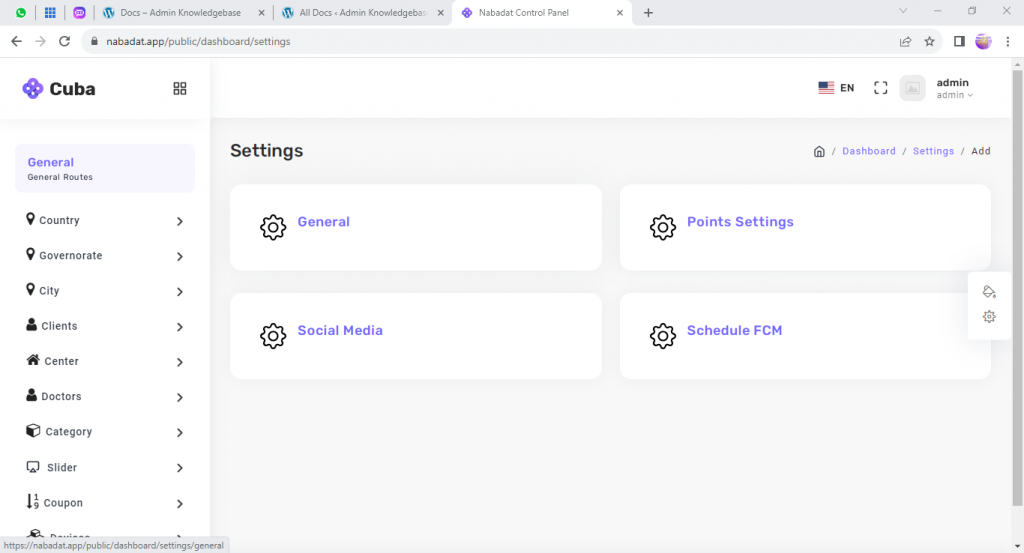
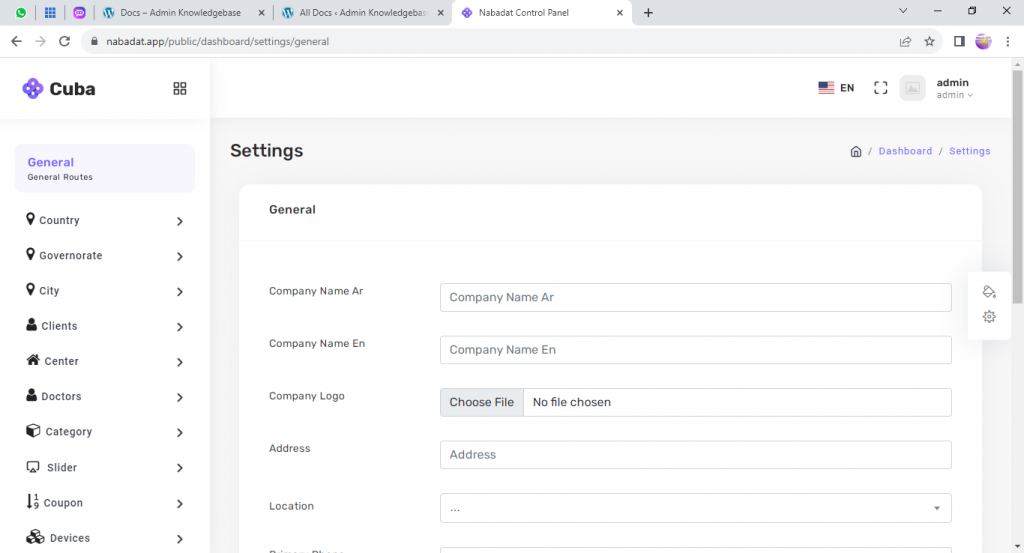
here you can edit the general settings
you can edit the company name, company logo, company address, location
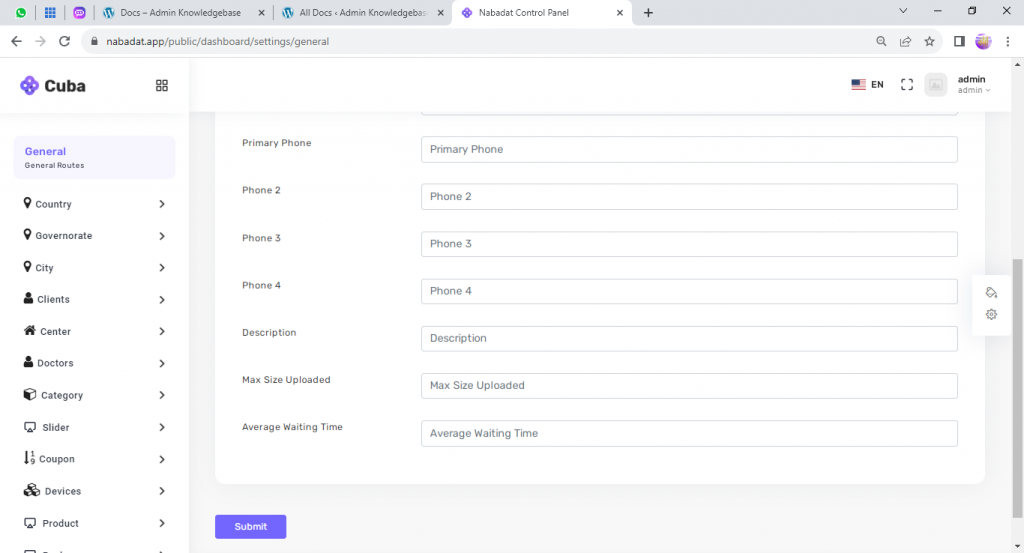
also you can edit the primary phone for the company, adding other phones, adding description for the company, determine the max size upload for files and the average waiting time.
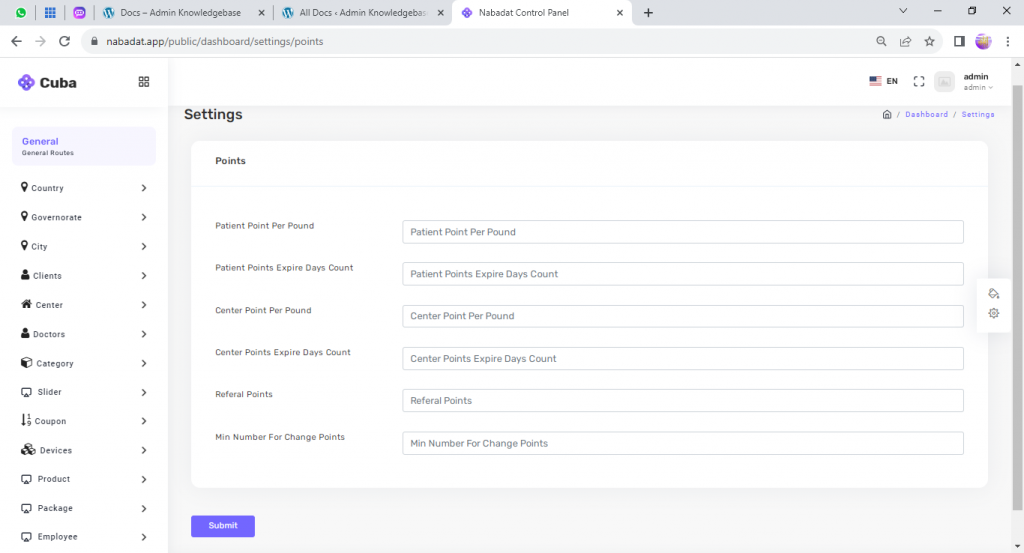
here you can edit the points setting that the patient take it after every pound he pay
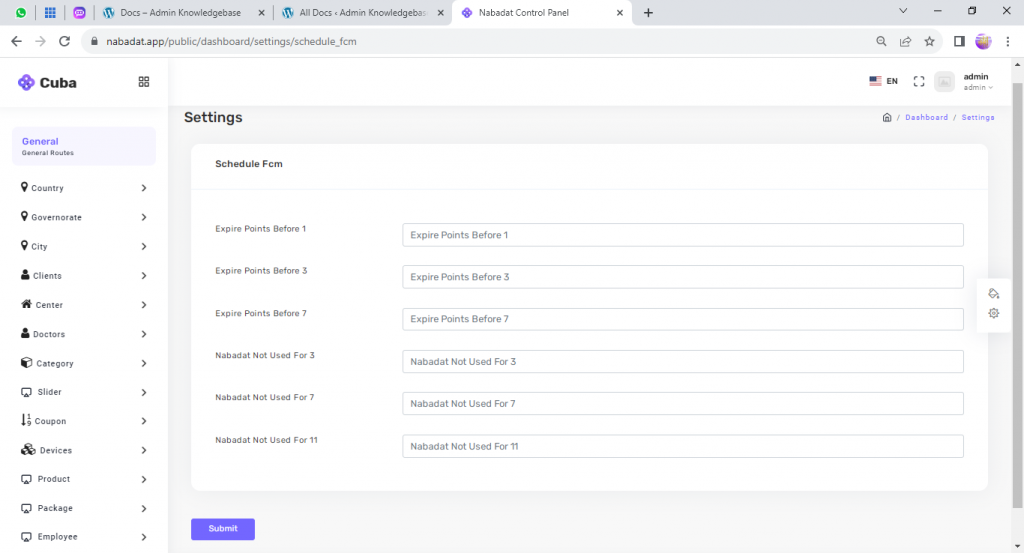
here you can manage the schedule fcm message settings
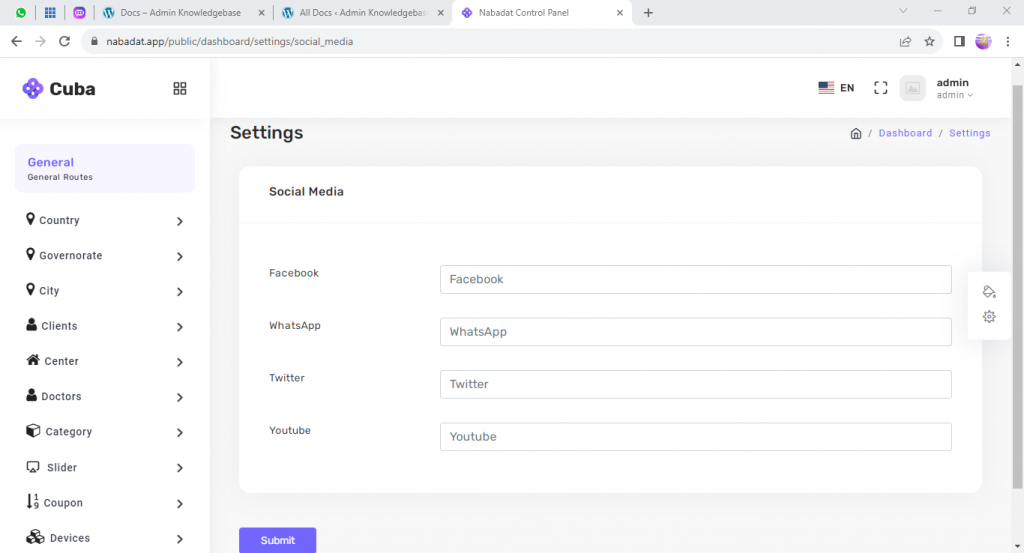
here you can manage the social media settings for the company. you can add facebook link, whatsapp, twitter and youtube.
Leave a Reply