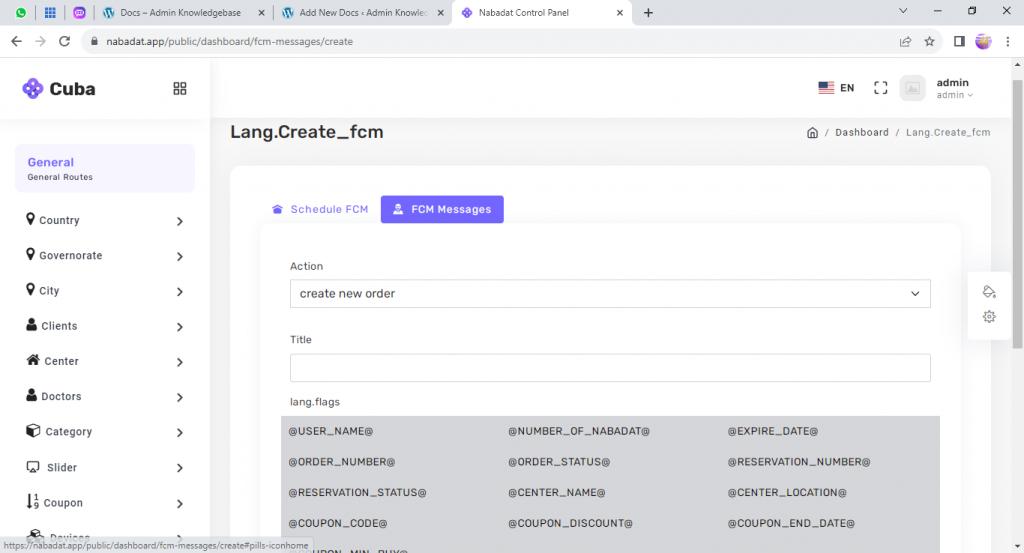
To create fcm message follow these steps
- From the top of the page choose FCM messages
- Choose the action
- Enter the message title
- Choose the flags you want (flags are values come from the system)
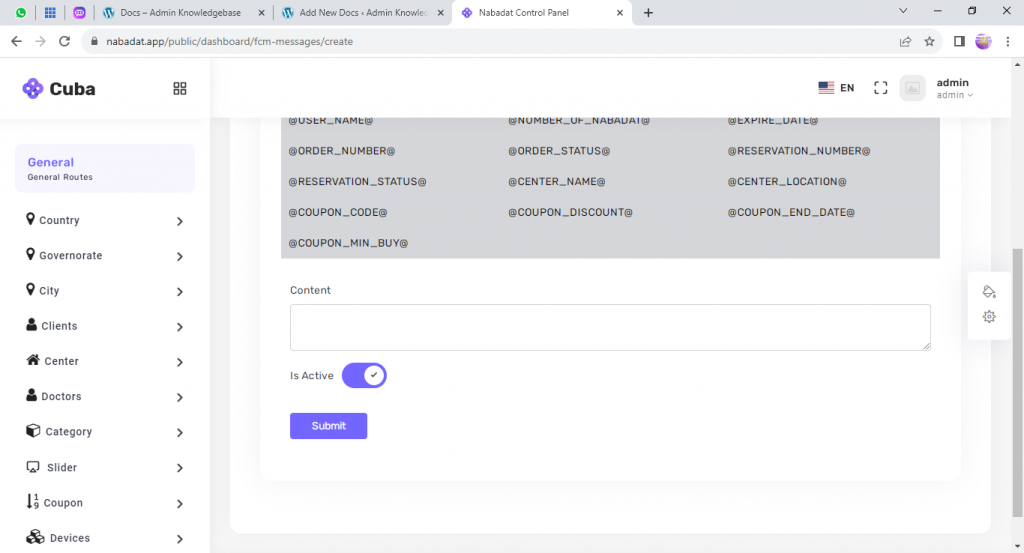
- Enter the content of the message
- Determine if the message is active or not
- Press the submit button to save the data entered
Leave a Reply